It is true to say that visitors will look at your navigation menu and will immediately leave your site if you don’t have a clear and directive navigation.
There are 2 types of navigation menu:- horizontal or vertical navigation menu. Horizontal menu has became the mainstream in web design, probably due to the space limitations. This is true especially for blogs or content related websites. Although they may have vertical navigation menu at sidebar, but the primary navigation will be the horizontal menu.
We have a showcase article for navigation menu before, but we would like to focus on some tips, tricks, tutorials and some showcases of horizontal navigation menus here.
Location Of Your Navigation Menu
Let’s start with the location of your navigation menu. Where should you place your menu? There are 3 places where you can place it:-
- Top of the page, above the logo or banner.
- Beside your logo or banner.
- Below the logo or banner.
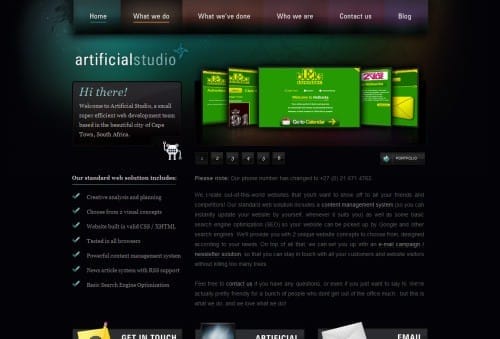
Example: Artificial Studio

The navigation menu sits on top of the logo and content. They also use different color to represent different links and destinations.