Software by tag 'tab'

Building Tabbed Navigation using SpryTabbedPanels

June 3rd, 2011 in Tutorial | View Comments

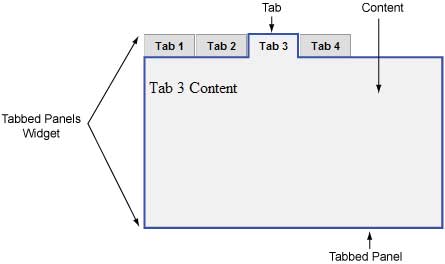
The Tabbed Navigation is the latest trend while designing a Website. If it is blog then you can notice the content titled ‘Featured Content’ or ‘Latest’ arranged in tabs. If it is a Website then there are tabs on top replacing menu items. If coded correctly the tabs give a fresh outlook to your Website, save resources, and present maximum information in less area. In addition, almost every user is familiar with the tabs and their working. Tab, ALT+Tab, and Ctrl+Tab are the most pressed keys on any keyboard on this earth. Thinking to use the tabbed navigation in your Web design then we are here to help you out. Adobe Labs provide access to its SpryTabbedPanels without any cost. Here we’ll guide you how to use the SpryTabbedPanel code to create Tabbed Navigation.

An outer div contains – list of tabs, all panels, div container to have content panels, and div tag for each panel. The SpryTabbedPanels use JavaScript to toggle between the tabs. Therefore, we’ll include the JavaScript code within the HTML tag. To modularize the code, we’ll create a separate JS file and link it through script tag inside head tag. This js file will define the functions related to the Tabbed Panel. Before closing the body tag, we’ll define a script tag to use JavaScript to make Tabbed Panel interactive. We’ll also link a style sheet in the head tag.

Adobe Labs provide the SpryTabbedPanels.js to use with the HTML code. You can scroll down to bottom to download the source files used in this article. Before that, we’ll illustrate the code of HTML and CSS files in this article. We recommend you not to change the file name of js and css files. However, you can modify the code as per your convenience.

In our case, we’ve located JS, CSS and HTML files in the same folder. Please modify the path in code if you’re placing the CSS and JS files in other location.

(more…)

25+ Useful Javascript Tab Navigation Scripts

May 19th, 2009 in Javascript, Resources | View Comments

There are a lot of different ways to implement tabs in our website. I had seen pure CSS implementation, Javascript implementation such as jQuery and MooTools tabs. Recently, my client request me to add tab interface to the current theme. So, i googled the web and found a lot of free scripts to do so.  now, I am going to list down useful Javascript tabs that I found.

jQuery plugin

1) jQuery UI Tabs
jquery-ui-tabs
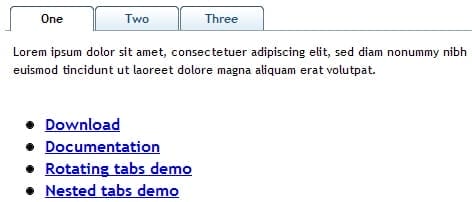
This tab script is built in to the jQuery UI and there are a lot of configurations. For example, you can have rotating tabs, nested tabs, and etc.

2) jQuery idTabs
jquery-idtabs
jQuery idTabs makes adding tabs into a website super simple, but it also open the door to endless possibilities.

3) Minitabs – jQuery minimalistic approach to tabs
Minitabs looks simple, but I can’t found any working demo from the website.
(more…)