

Many Python programmers struggle to understand how an expression in python works and why their code behaves unexpectedly. Python expressions form the building blocks of every program, combining values and operators to produce results that drive application logic.
This guide breaks down Python expressions into simple parts, covers operator precedence rules, and explores the latest updates in Python 3.14.3 documentation. Master these concepts to write cleaner, more effective Python code.
Key Takeaways
- Python expressions combine operators and operands to yield values, while statements perform actions without producing results.
- Operator precedence follows mathematical rules with parentheses highest, then exponentiation, multiplication/division, addition/subtraction, and logical operators lowest.
- Python 3.14.3 updates include enhanced yield expression restrictions, improved async comprehension support, and extended unpacking capabilities.
- Constant expressions evaluate to fixed values at compile time, while arithmetic and logical expressions perform calculations dynamically.
- Lambda expressions create anonymous functions using single expressions, and conditional expressions use “x if condition else y” syntax.
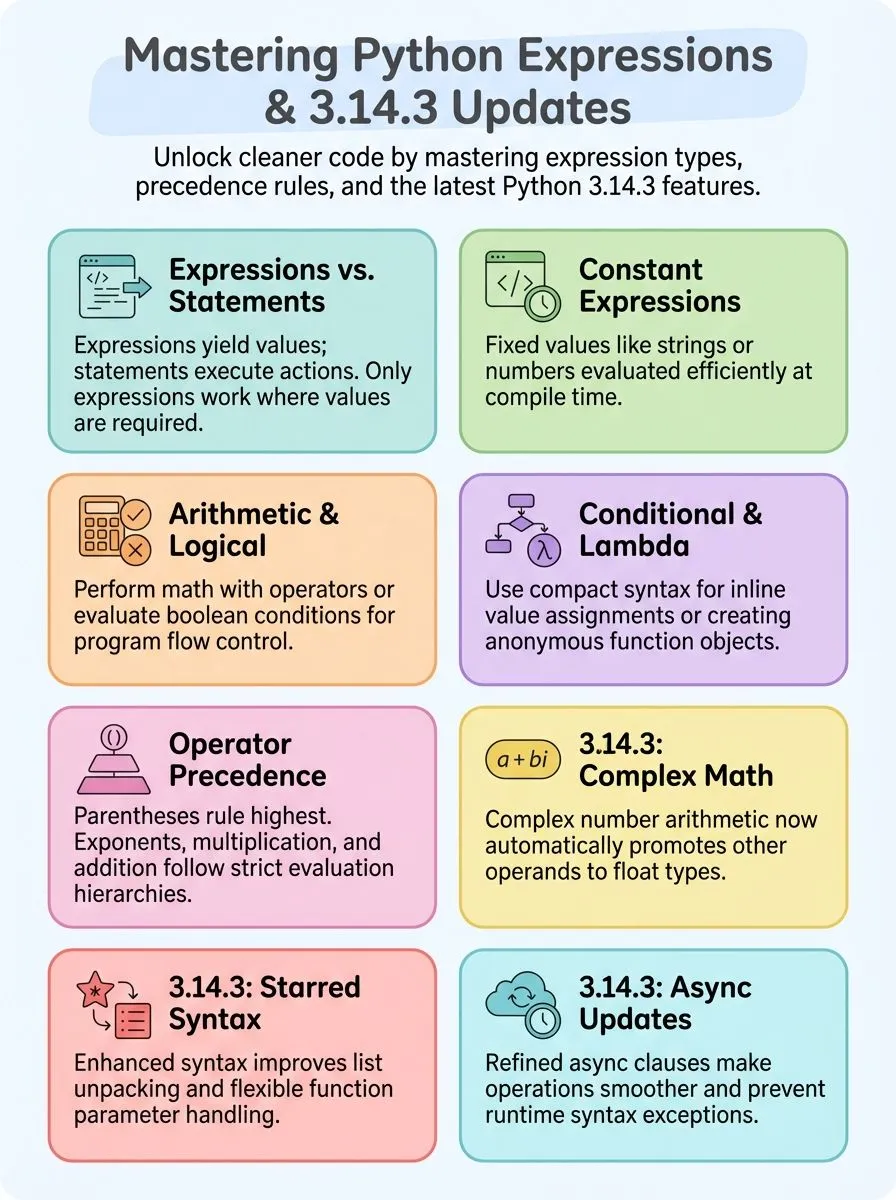
Understanding Python Expressions

Python expressions form the building blocks of code that the Python interpreter can evaluate to produce a value. These expressions combine variables, operators, and values to perform computations and return results that programmers can use throughout their applications.
What is an expression in Python?
An expression in Python is any combination of operators and operands that yields a value. These code pieces always produce results, such as numbers, strings, or boolean values. Think of expressions as the building blocks that make computations happen.
They can be simple literals like `42` or complex function calls with multiple arguments.
Expressions differ from statements because they evaluate to something concrete. The Python interpreter processes these combinations and returns specific data types. For example, the arithmetic expression `x = 15 + 1.3` results in 16.3, showing how numeric values combine through operations.
Variables, constants, function calls, and data structures all work together in expressions to create meaningful results that programs can use.
How do expressions differ from statements in Python?
Now that Python expressions create values, understanding how they differ from statements becomes crucial for writing effective code. **Expressions yield values, while statements perform actions and may not produce a value.** This fundamental difference shapes how programmers structure their Python programs.
**Assignment (`=`) is a statement, while `2 + 2` is an expression.** Statements like `if`, `for`, and `while` control program flow but do not yield values. Expressions can appear within statements but not vice versa.
**Statements can contain expressions as components.** For example, an assignment statement contains an expression on the right hand side. **Only expressions can be used where a value is required (e.g., as function arguments).** The distinction is defined in Python’s grammar: expressions are described in Section 6, statements elsewhere.
**Attempting to use statements where expressions are expected will result in a syntax error.**.
The difference between expressions and statements is that expressions produce values, while statements execute actions.
Types of Python Expressions
Python offers several distinct types of expressions that serve different purposes in your code, from simple constant values to complex mathematical operations. Each expression type follows specific rules and patterns, making it essential for developers to understand how arithmetic expressions, logical expressions, and conditional expressions work together to create powerful programs.
What are constant expressions in Python?
Constant expressions are those whose value does not change during program execution. These expressions evaluate to fixed values that remain the same every time the code runs. String and numeric literals are the most common constant expressions that developers encounter in their daily coding work.
For example, the expression `x = 15 + 1.3` evaluates to the constant value 16.3, which never changes regardless of how many times the program executes this line of code.
Literals such as numbers and strings serve as the foundation for constant expressions in programming. The Python interpreter evaluates constant expressions at compile time, making them highly efficient for computations.
Multiple evaluations of a literal value can yield the same or different objects, depending on the specific implementation. Literals are described under Section 6.2.2: Literals in the documentation, providing developers with comprehensive guidance on their usage and behavior.
Arithmetic expressions involving only literal values create powerful constant expressions that streamline code execution.
How do arithmetic and logical expressions work in Python?
Moving beyond constant expressions, Python developers encounter arithmetic and logical expressions that form the core of most programming tasks. Arithmetic expressions use operators like `+`, `-`, `*`, `/`, `//`, `%`, and `**` to perform mathematical computations on numbers.
These operations follow standard mathematical rules, making them intuitive for beginners. For example, setting `x=40` and `y=12` allows developers to create `add=x+y`, which yields 52.
The language supports various numeric types, including integers and floating-point numbers, each producing different results based on the operation performed.
Logical expressions operate differently, using `and`, `or`, and `not` operators to evaluate boolean conditions and return True or False values. These expressions prove essential for decision-making in programs, controlling program flow through conditional statements.
Consider this example: `P=(10==9)` creates a False value, while `Q=(7>5)` produces True. Combining these with `R=P and Q` results in False because both conditions must be True for the `and` operator to return True.
Python evaluates these expressions from left to right, following operator precedence rules that determine which operations execute first in complex statements.
What are conditional and lambda expressions in Python?
Conditional expressions use the syntax: `x if condition else y`. These expressions yield a value depending on the truth of a condition. Alex Herrick often uses conditional expressions when building custom WordPress themes, finding them perfect for quick value assignments.
The expression evaluates at runtime and returns one of two values based on whether the condition is true or false. Programmers can nest conditional expressions and use them within comprehensions and function calls.
This single expression format makes code more compact than traditional if-else statements. The leftmost value appears when the condition is true, while the rightmost value appears when false.
Lambda expressions are anonymous functions created using the `lambda` keyword. These expressions can be used wherever a function is required and yield a function object. Lambda expressions have limitations, such as only supporting single expressions.
Joshua Correos frequently applies lambda expressions in data processing scripts for digital marketing analytics. The lambda keyword creates a function without a formal definition, making code more concise.
These expressions evaluate at runtime and work well with built-in functions like map, filter, and sort. Lambda expressions provide a combination of values and operations in one compact line.
The return value comes from the single expression following the colon in the lambda syntax.
What is the operator precedence in Python?
Operator precedence in Python determines the order in which operations are evaluated during computations and type conversions. Alex Herrick from Web Design Booth often explains to his team that Python follows specific rules when multiple operators appear in expressions.
Parentheses hold the highest precedence, allowing developers to control evaluation order explicitly. Exponentiation comes next with the ** symbol, followed by unary operators like negative signs.
Multiplication, division, and modulo operations using *, /, //, and % symbols follow unary operators in the precedence hierarchy. Addition and subtraction operators + and – rank lower than multiplication operations.
Shift operators >> and <=, , and < evaluate after bitwise operations.
Equality operators == and != come after relational comparisons.
Assignment operators including =, +=, -=, /= and *= have lower precedence than equality checks. Identity and membership operators such as is, is not, in, and not in evaluate after assignments.
Logical operators and, or, and not possess the lowest precedence in Python expressions. Consider this practical example: a = 10 + 3 * 4 evaluates as 10 + (3 * 4), yielding 22 because multiplication takes precedence over addition.
Changing the expression to b = (10 + 3) * 4 produces 52 since parentheses force left-to-right evaluation of the addition first. Joshua Correos frequently uses these precedence rules when optimizing code for digital marketing automation scripts.
Understanding these rules prevents common errors in complex expressions and ensures predictable results. Python’s expression evaluation follows mathematical conventions, making code behavior consistent across different scenarios.
Python 3. 14. 3 Documentation on Expressions
Python 3.14.3 brings fresh updates to expression handling that creative developers and tech enthusiasts will love — from improved operator precedence rules to enhanced string literal processing that makes code cleaner and more intuitive.
What are the key updates in Python 3.14.3?
Python 3.14.3 brings fresh changes that make coding smoother and more powerful. These updates focus on expressions, operators, and how the language handles different data types.
- Complex number arithmetic now promotes other operands to float automatically. This change makes math operations cleaner when working with complex numbers and regular integers or floats.
- Operator precedence rules get clearer documentation and better examples. Developers can now understand the order of operations more easily when writing complex expressions.
- Arithmetic conversion rules receive major updates in the official documentation. These changes help programmers predict how Python converts between different number types during calculations.
- Starred expressions gain new syntax and grammar improvements since PEP 646. List unpacking and function parameters work more smoothly with these enhanced starred expression features.
- Division and modulo operations get clearer behavior definitions. The documentation now explains exactly how these operators handle edge cases and different number types.
- Dictionary displays and unpacking receive grammar updates for better performance. Creating and manipulating dictionaries becomes more efficient with these behind-the-scenes improvements.
- Operator methods like
__pow__()and__rpow__()get enhanced functionality. These special methods now handle more cases and provide better error messages when exceptions occur. - List and set comprehensions receive syntax improvements for cleaner code. Writing complex data transformations becomes easier with these updated comprehension features.
- String literals and raw strings get better escape sequence handling. Working with backslashes and special characters becomes more predictable across different string types.
What notable changes affect expression handling in Python 3.14.3?
Python 3.14.3 brings fresh updates that change how expressions work in the language. These changes affect how developers write code and handle different types of expressions.
- Enhanced yield expression restrictions – Python 3.14.3 strengthens the prohibition of yield and yield from expressions in comprehensions within nested scopes, building on the 3.8 implementation with better error messages.
- Improved async comprehension support – The update refines async for clauses in comprehensions, making async operations smoother since the original 3.6 introduction of this feature.
- Extended unpacking capabilities – Function calls now support more flexible * and ** unpacking patterns, expanding beyond the 3.5 PEP 448 specifications for better parameter handling.
- Refined dictionary comprehension evaluation – Key and value evaluation order in dict comprehensions receives optimization improvements, building on the 3.8 redefinition for more predictable behavior.
- Updated generator throw methods – The deprecated second signature of generator.throw() and athrow() from 3.12 now shows clearer deprecation warnings in preparation for removal.
- Enhanced starred expression handling – Starred expressions in subscripts work more efficiently, improving on the 3.11 PEP 646 introduction with better memory management.
- Stricter async generator syntax – The interpreter now catches “yield from” syntax errors in async generators earlier, preventing runtime exceptions that could crash applications.
- Matrix multiplication operator improvements – The @ operator receives performance enhancements for custom implementations, though built-in types still lack native support for this mathematical operation.
Conclusion
Python expressions form the backbone of every successful program. Creative professionals and tech enthusiasts can transform their coding skills by understanding these fundamental building blocks.
The Python 3.14.3 documentation provides clear guidance for both beginners and advanced developers.
Expressions evaluate data, perform operations, and create dynamic solutions for real-world problems. Developers who grasp operator precedence, conditional logic, and lambda functions write cleaner, more efficient code.
These skills open doors to exciting projects in web development, data analysis, and automation.
Start practicing with simple arithmetic expressions, then progress to complex comprehensions and generator functions. Python’s flexible syntax makes learning enjoyable while building powerful applications that solve creative challenges.
For more in-depth information on Python input and output operations, visit our comprehensive guide.
FAQs
1. What makes expressions different from statements in Python programming?
An expression is a combination of values, variables, and operators that Python can compute to produce a result. Statements perform actions but don’t return values, while expressions are evaluated to create new data.
2. How do operators work with different data types like integers and strings in Python?
Python operators used with integers perform math operations, while string operators can concatenate text together. The same operator can work differently based on the data type, like how + adds numbers but joins strings.
3. What happens when Python raises an exception during expression evaluation?
An exception is raised when Python encounters an error while processing an expression, such as dividing by zero or using undefined variables. This stops the program and shows an error message to help you fix the problem.
4. How does Python handle precedence when evaluating complex expressions?
Python follows specific precedence or priority rules when computing expressions with multiple operators. You can use parentheses to control the order of operations, just like in math class.
5. What role do brackets and parentheses play in Python expressions?
Brackets create lists or access array elements, while parentheses group parts of expressions or define function parameters. Both help organize code and control how Python processes your instructions. You can also use them to add comments about what your code does.
6. How do boolean data types and truth values work in Python expressions?
Boolean data types store True or False values that help your program make decisions. Python can evaluate any expression to determine its truth value, which is useful for controlling program flow and logic operations.
