

Many Python developers struggle with data type conversions, especially when working with numbers that need decimal precision. The python float function serves as one of Python’s most essential built-in functions for converting various data types into floating-point numbers.
This guide breaks down everything about the float function, from basic syntax to advanced applications that will boost your programming skills. Get ready to master floats like a pro.
Key Takeaways
- Python’s float() function converts integers, strings, and numeric values into floating-point numbers for precise mathematical calculations and data processing.
- The function accepts special string values like “inf”, “infinity”, and “nan” to create infinite and undefined floating-point numbers.
- ValueError occurs with non-numeric strings while OverflowError happens when numbers exceed platform limits around 1.8e308 for most systems.
- Python 3.6 added underscore support in numeric strings like “1_000.5” for better readability during float conversion operations.
- Float values work seamlessly with arithmetic operators and formatting methods, enabling precise decimal calculations and clean number display.
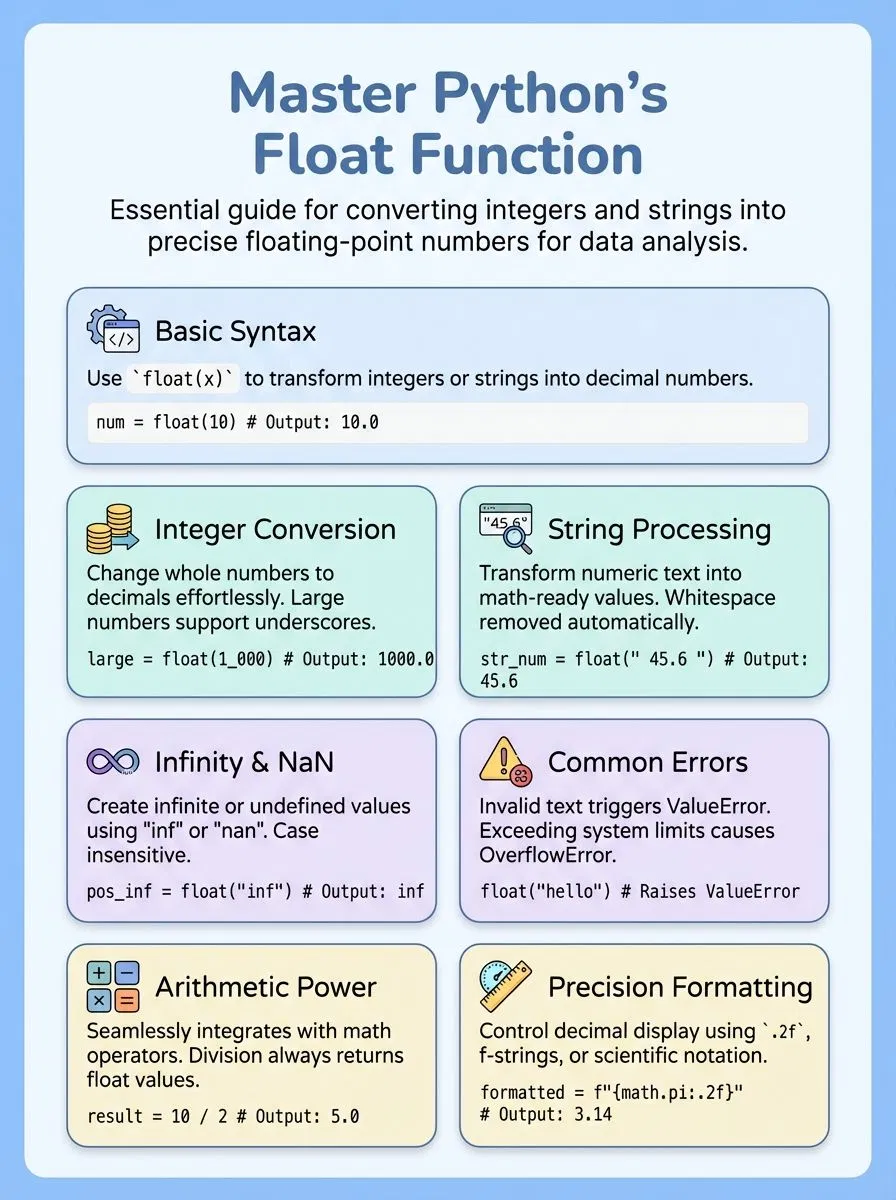
Understanding the Python float() Function

The Python float() function serves as a powerful tool that converts various data types into floating-point numbers, making it essential for anyone working with numeric calculations in their code.
This built-in function accepts different input types—from integers to strings—and transforms them into decimal numbers that computers can process for mathematical operations and data analysis tasks.
What is the Python float() function and why use it?
Python’s float() function converts numbers or numeric strings into floating-point numbers. This built-in function takes various inputs and returns a floating-point number corresponding to the input value.
Programmers can pass integers, strings containing numeric values, or even leave the parameter empty to get 0.0 as the return value. Float in Python represents real numbers with decimal points, making it essential for precise mathematical calculations and data processing tasks.
Creative professionals and tech enthusiasts find the float() function incredibly useful for arithmetic operations that require decimal precision. Converting integers to float allows for more accurate calculations in projects involving graphics, animations, or financial computations.
The function handles string representations of numbers seamlessly, transforming text-based numeric data into workable floating-point values. Most machines store these floating-point numbers using the first 53 bits for the numerator, with the denominator as a power of two, ensuring efficient processing across different computing platforms.
Understanding how to convert strings to float opens up possibilities for processing user input and external data sources effectively.
How do you use the syntax and parameters of float()?
The Python float function follows a simple syntax pattern that makes converting data types straightforward. This function accepts one parameter and transforms various input types into floating-point numbers.
- Basic syntax structure uses
float(x)format – The x parameter can be an integer, another float, or a string representing a number. - Parameter accepts multiple data types including integers and strings – Pass whole numbers like
float(10)to get10.0as output. - String inputs must contain valid numerical values – Use
float("90")to convert string representations into floating-point format successfully. - Negative numbers work with both integers and string formats – Try
float("-16.54")to get-16.54as the converted result. - Special string values handle infinity and undefined numbers – Input “inf”, “infinity”, or “nan” to create special floating-point values in your code.
- Case sensitivity doesn’t matter for special string values – Both “INF” and “inf” produce the same positive infinity result.
- Empty parentheses create zero float value automatically – Call
float()without parameters to generate0.0as the default output. - Python version 3.6 introduced underscore support in string inputs – Format large numbers like
float("1_000_000.5")for better readability in your programs. - Version 3.7 made the parameter positional-only for better performance – This change prevents keyword argument usage and speeds up function execution.
Understanding these syntax rules helps prevent common errors that cause ValueError exceptions in your Python programs.
Converting Data Types with float()
Python’s float() function serves as a powerful data converter, transforming different data types into floating-point numbers with ease. This essential function handles integers, strings, and other numeric formats, making it a cornerstone tool for developers working with decimal values and arithmetic operations.
How to convert integers to float in Python?
Converting integers to float values in Python makes math work better and helps with precise results. The float function takes any integer value and turns it into a floating-point number with decimal places.
- Use the basic float() function – Type
float(10)and get10.0as your result, which shows the integer became a floating-point number. - Store integers in variables first – Create a variable like
number = 90, then useresult = float(number)to get90.0as output. - Handle large numbers with underscores – Python 3.6 lets you write
float(1_000_000)to convert big integers while keeping them easy to read. - Convert directly in arithmetic operations – Use
float(5) + 2.5to mix integer and decimal values in your math calculations. - Work with negative integers – The function converts negative numbers too, so
float(-42)gives you-42.0for your decimal arithmetic needs. - Use converted values for precise calculations – Float values help avoid integer division problems and give you fractional numbers when you need them.
- Apply the function to user input – Convert string numbers to integers first, then use float() to get decimal values for your programs.
How to convert strings to float in Python?
Python developers often need to convert string data into floating-point numbers for calculations. The float() function handles this conversion task with ease, making it simple to transform text-based numbers into mathematical values.
- Use basic string conversion – Pass any numeric string directly to the float() function. For example,
string = "90"becomes90.0when processed throughfloat(string). - Handle negative decimal values – The function processes negative numbers seamlessly. A string like
"-16.54"converts to-16.54as a floating-point number. - Process strings with underscores – Python 3.6 introduced underscore support in numeric strings. The float() function accepts strings like
"1_000.5"for better readability. - Convert infinity representations – Special strings like
"inf"and"infinity"return infinite values. These conversions work regardless of case sensitivity. - Handle NaN string values – Strings containing
"nan"or"NaN"convert to Not-a-Number values. This feature helps manage undefined mathematical results. - Manage whitespace automatically – The function strips leading and trailing spaces from input strings. This prevents common formatting issues during conversion.
- Expect ValueError for invalid strings – Non-numeric strings like
"geeks"trigger ValueError exceptions. Always validate string content before conversion attempts. - Watch for OverflowError conditions – Extremely large numbers cause OverflowError exceptions. Values exceeding float precision limits cannot be represented exactly.
- Apply conversion in data processing – Use string-to-float conversion when reading CSV files or user input. This approach enables mathematical operations on text-based data.
Special Cases in float()
Python’s float function encounters unique situations that can surprise developers. These edge cases include handling infinity values, NaN (Not a Number) results, and specific error conditions that arise during string conversion.
How does float() handle Infinity and NaN?
The float function in Python handles special values like infinity and NaN with ease. Users can create infinite values by passing strings like “inf”, “infinity”, “-inf”, or “nan” to the function.
Python accepts all case variants of these strings, making `float(“INF”)`, `float(“Infinity”)`, and `float(“NaN”)` work perfectly. The function returns positive infinity for “inf” or “infinity” strings, negative infinity for “-inf” strings, and NaN (Not a Number) for “nan” strings.
These special floating-point values follow the IEEE 754 floating-point standard, ensuring compatibility across different systems. The float function converts these string representations into proper floating-point arithmetic values that programmers can use in calculations.
Python 3.6 added support for underscores in floating-point string representations, giving developers more formatting options. These special cases help handle mathematical operations that produce undefined results or values beyond normal number ranges, making error handling much simpler for complex calculations.
What causes ValueError and OverflowError with float()?
While Python handles infinity and NaN values gracefully, the float function encounters specific errors that developers must understand. Two main exceptions occur when the function is used to convert problematic inputs into floating point numbers.
ValueError strikes when someone passes an invalid string containing non-numeric characters to the float function. For example, float(“geeks”) raises this error because the string cannot be converted to a float.
This exception also occurs with strings that contain null bytes in Python versions prior to 3.5, which previously raised TypeError instead. OverflowError happens when the number exceeds platform float limits, typically around 1.8e308 for IEEE 754 double precision systems.
The classic example float(10**309) triggers this error because the value surpasses what the system can represent as a floating point number.
Practical Applications of float()
Python’s float() function becomes essential when developers work with arithmetic operations and need precise decimal calculations. Creative professionals and tech enthusiasts find this function invaluable for handling mathematical computations, formatting numerical data, and converting string representations into workable decimal numbers.
How to use float in arithmetic operations?
Float values work seamlessly with all arithmetic operators in Python programming. These decimal numbers handle basic math operations while maintaining precision for most calculations.
- Add float numbers together – Use the plus sign to combine float values like
3.14 + 2.86which equals6.0. Python automatically handles decimal point alignment during addition operations. - Subtract one float from another – The minus operator works with floating-point numbers such as
10.5 - 3.2resulting in7.3. Subtraction maintains decimal precision in most cases. - Multiply float values – Multiplication uses the asterisk symbol with floats like
2.5 * 4.0producing10.0. This operation often increases the number of decimal places in results. - Divide numbers to get float results – Division always returns float values even when dividing integers like
10 / 3yielding3.3333333333333335. Floor division uses double slashes for whole number results. - Apply exponentiation with floats – Power operations use double asterisks such as
2.0 ** 3.0equaling8.0. Fractional exponents create roots like9.0 ** 0.5for square roots. - Handle floating-point precision issues – Use
math.isclose()to compare float results since0.1 + 0.1 + 0.1 == 0.3returnsFalsedue to binary representation limits. - Convert string numbers to float – Transform text representations using
float("3.14")before arithmetic operations. This conversion enables mathematical calculations with user input data. - Mix integers and floats freely – Python automatically converts integers to float during mixed operations like
5 + 3.2resulting in8.2. The result always becomes a float type. - Use parentheses for operation order – Control calculation sequence with brackets like
(2.5 + 1.5) * 3.0equaling12.0. Standard mathematical precedence rules apply to float arithmetic.
How to format float values in Python?
Formatting float values gives developers complete control over decimal display and precision. Python offers multiple methods to present floating-point numbers in clean, readable formats.
- Use the format() function with ‘.2f’ to display two decimal places: format(math.pi, ‘.2f’) produces ‘3.14’ for cleaner output.
- Apply the ‘.12g’ format specifier to show significant digits: format(math.pi, ‘.12g’) returns ‘3.14159265359’ with optimal precision.
- Employ the float.hex() method for hexadecimal representation: x.hex() generates ‘0x1.921f9f01b866ep+1’ for platform-independent display.
- Utilize ‘.17f’ formatting to reveal binary approximation limits: format(0.1, ‘.17f’) shows ‘0.10000000000000001’ exposing floating-point precision.
- Access Decimal.from_float() for exact decimal representation: Decimal.from_float(0.1) displays the complete binary fraction as a decimal string.
- Take advantage of Python 3.1+ automatic shortest representation: the interpreter displays the cleanest decimal approximation among possible binary values.
- Leverage f-string formatting for modern syntax: f”{math.pi:.2f}” provides the same result as format() with cleaner code structure.
- Control scientific notation with ‘e’ format: format(1234.5, ‘.2e’) produces ‘1.23e+03’ for large number display.
- Apply percentage formatting with ‘%’ specifier: format(0.1234, ‘.1%’) converts to ‘12.3%’ for percentage display needs.
Conclusion
Python’s float() function opens doors to countless programming possibilities. This powerful tool transforms strings and integers into decimal numbers with ease. Creative professionals can use float() to build calculators, data analysis tools, and interactive web applications.
Understanding float() syntax helps developers avoid common errors like ValueError and OverflowError. The function handles special cases including infinity and NaN values gracefully.
Programmers who master float() gain essential skills for mathematical operations and number formatting tasks.
For more insights on utilizing data types in Python, check out our guide on working with booleans in Python.
FAQs
1. What does the Python float function do?
The Python float function converts a string into a float or changes other data types to decimal numbers. This function takes one or two arguments and returns a number with a decimal point. You can use Python’s built-in function to convert integers, strings, or other representable values into floating-point format.
2. How do you convert a Python string to a float?
Use the float() function to convert any Python string containing numbers into decimal format. The syntax is simple: float(“3.14”) will return 3.14 as a floating-point number. This conversion works with most numeric strings that represent valid decimal fractions.
3. Can the float function handle different number formats?
Yes, Python’s float function processes various formats including scientific notation and binary numbers. The function can parse strings with positive or negative signs, decimal points, and exponential notation. However, the input must be representable as a valid floating-point number.
4. What happens when you use Python float with invalid data?
Python raises a ValueError when the float function receives invalid input that cannot be converted to float. This error occurs with non-numeric strings or improperly formatted numbers. Always validate your data before using the function to convert values.
5. How does Python float precision work with decimal numbers?
Python float uses double-precision floating-point format, which provides about 15-17 significant figures of accuracy. This means very large or very small numbers may lose precision due to rounding. For high-precision calculations, consider using Python’s decimal module instead of the standard float function.
6. What are the best practices for using Python float in programming?
Always handle potential conversion errors using try-except blocks when converting user input or external data. Use appropriate rounding techniques for display purposes, and remember that floating-point arithmetic can produce small errors. Consider using libraries like NumPy or Pandas for advanced mathematical operations with floating-point arrays.
