

Many programmers struggle with tracking positions while looping through data in Python. The enumerate() function stands as a built-in tool that adds automatic counters to any sequence, making loop counting simple and clean.
This guide will show you how to master the python for loop counter using enumerate() and other powerful techniques that make your code more readable and efficient. Your loops will never look the same again.
Key Takeaways
- Python’s enumerate() function automatically adds counters to any sequence, starting at 0 by default but customizable with start argument.
- Manual counter variables require three steps: initialize before loop, check condition each iteration, and increment inside loop body.
- The zip() function pairs items from multiple lists by position, stopping when the shortest sequence ends to prevent errors.
- Loop counters solve real coding problems like tracking race positions, finding file errors, and processing multiple data structures together.
- Advanced developers use itertools module for complex patterns and memory-intensive operations with large datasets requiring generator objects.
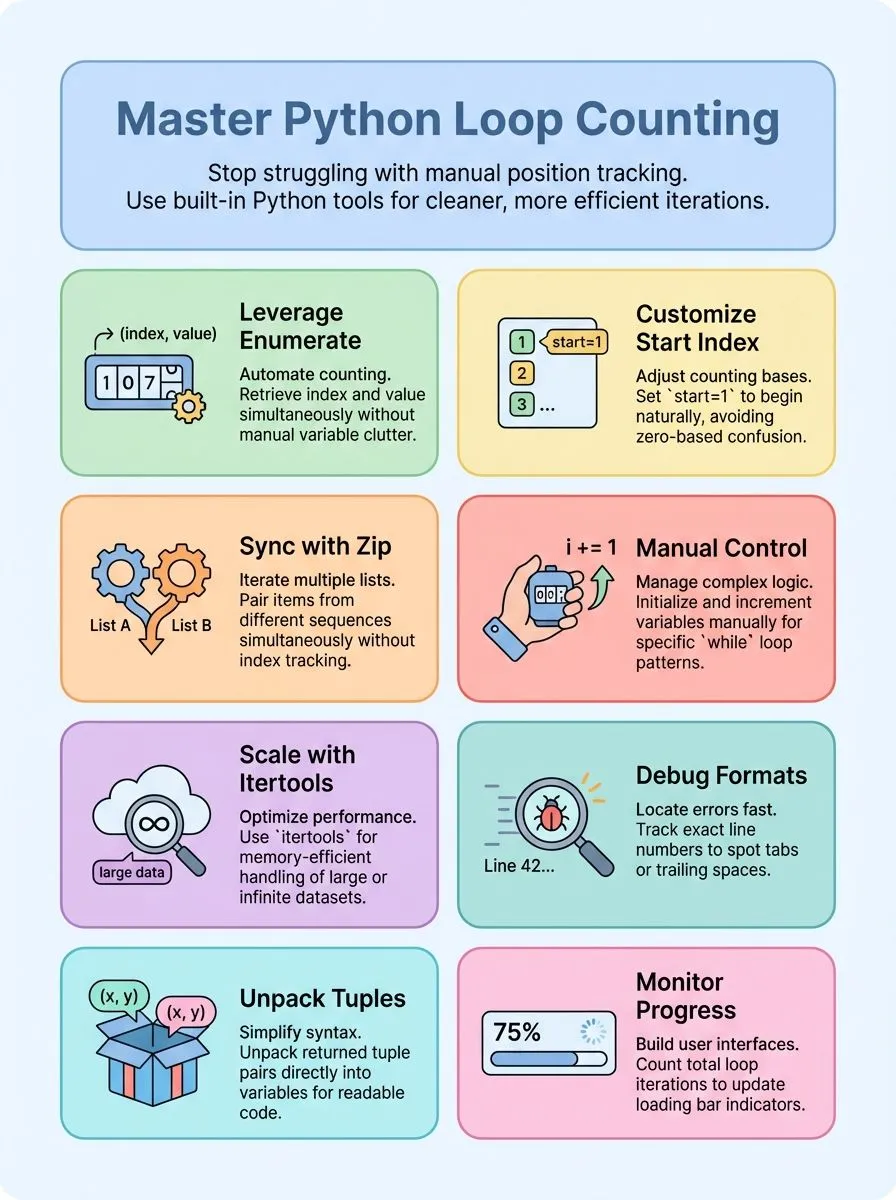
How does Python’s enumerate() help with loop counting?

The enumerate() function transforms loop counting from a tedious task into an elegant solution. This built-in Python function adds a counter to any iterable object and returns it as an enumerate object.
Alex Herrick from Web Design Booth discovered this powerful tool while building custom WordPress themes, where tracking list positions became essential for dynamic content generation.
The function provides both the index and value of items during iteration, eliminating the need for manual counter variables inside the loop.
Python’s enumerate() starts counting at 0 by default, but developers can customize this starting value using the start argument. Each iteration of a loop automatically increments the count by one, giving programmers access to both the current item and its position.
This approach proves more Pythonic than using range(len()) combinations, making code more efficient and readable. The function returns tuple pairs containing the index as the first element and the current value as the second element, which tuple unpacking makes easy to handle.
Next, let’s explore the various alternatives to enumerate() that can serve as effective loop counters in different scenarios.
Alternatives to enumerate() for Loop Counters
Python offers several powerful methods beyond enumerate() for managing loop counters, each serving different programming scenarios. These alternatives provide flexibility for developers who need specific counting behaviors or want to iterate through multiple data structures simultaneously.
How can I use a manual counter variable in Python loops?
Creating a manual counter variable gives programmers complete control over loop counting. This approach mirrors the exact method Shawn Brandon used in his November 3, 2023 question on SoloLearn.
His code example demonstrates the classic pattern: `counter = 0`, followed by `while counter < 4: print(counter); counter = counter + 1`. This manual method requires three essential steps: initialize the counter variable before the loop starts, check the counter condition in each iteration, and increment the counter inside the loop body.
Manual counters work perfectly with both for loops and while loops in Python programming. The assignment statement `counter = counter + 1` confused Shawn initially, but Barry Scott’s same-day response clarified how the equals sign works in programming languages.
The right side calculates first, adding one to the current counter value, then assigns this new number back to the counter variable. This process repeats for the exact number of iterations needed.
Each iteration increases the counter by one, creating a sequence of values from the starting number until the loop condition becomes false. Manual counters prove especially useful for complex counting patterns that built-in functions cannot handle easily.
Next, let’s explore how zip() creates elegant solutions for iterating multiple sequences together.
How does zip() work for iterating multiple sequences together?
The zip() function works like a zipper on a jacket. It pairs up items from different lists based on their position. This built-in Python function takes two or more sequences and creates pairs from matching positions.
For example, pets = [“Leo”, “Aubrey”, “Frieda”] and owners = [“Bartosz”, “SarahJane”, “Philipp”] can be looped together using for pet, owner in zip(pets, owners):. The first pet matches with the first owner, the second with the second, and so on.
Using zip() clarifies intent when iterating over multiple sequences simultaneously.
This approach eliminates the need for manual counters or index tracking. The zip() function handles the pairing automatically, making code cleaner and easier to read. Creative professionals often use this technique when processing multiple data structures in Python.
The function stops when the shortest sequence ends, preventing errors from mismatched list lengths. Web designers and content creators find zip() particularly useful for matching related data sets, like pairing video titles with their descriptions or linking image files with their metadata.
When should I use itertools for advanced loop patterns?
While zip() handles simple multi-sequence tasks well, complex loop patterns need more power. The itertools module steps in for advanced scenarios that basic Python loops can’t handle efficiently.
Developers reach for itertools during memory-intensive operations with large datasets. The Real Python Podcast Episode 252 explores how itertools creates generator objects that save memory compared to regular lists.
Functions like itertools.pairwise() excel at processing consecutive pairs, perfect for analyzing city routes or comparing adjacent data points. Teams working with infinite loops or complex iteration patterns find itertools essential for clean, readable code that performs better than manual counter variables or nested loops.
What are practical examples of using loop counters in Python?
Loop counters in Python solve real coding challenges that developers face daily. These practical examples show how enumerate() and other counting methods work in actual programming situations.
- Track race positions with enumerate() – Use
for position, name in enumerate(runners, start=1): print(position, name)to display runner rankings starting from 1 instead of 0. - Extract secret messages from strings – Loop through
secret_message = "3LAigf7eq5fhiOnpdDs2Ra6nwUalyo.9"using enumerate() to grab characters at odd indices for hidden text. - Find file formatting problems – Check each line with
enumerate()to catch tab characters or trailing spaces, printing “Line 1: Contains a tab character” for debugging. - Highlight priority tasks – Use enumerate() to make the first item in a task list stand out with uppercase text and exclamation marks.
- Process multiple lists together – Combine zip() with enumerate() to iterate over several sequences at once while tracking position numbers.
- Create custom counting functions – Build
def my_enumerate(iterable, start=0):to yield tuples of count and current element for specific project needs. - Slice strings with position tracking – Extract the first four letters from
"StardewValley"using slicing to get “Star” while knowing exact character positions. - Count loop iterations for progress bars – Track the number of times a loop runs to update loading indicators in user interfaces.
- Validate data with position references – Use loop counters to identify which array elements contain errors and report their exact locations.
Conclusion
Python loop counters make coding easier and cleaner for developers. The enumerate() function stands out as the best tool for most counting tasks in loops. Manual counters work well for simple cases, while zip() handles multiple sequences perfectly.
Advanced programmers can explore itertools for complex patterns and special requirements. These techniques help create better code that runs faster and reads easier for everyone.
For more tips on switching up your Python game, check out our detailed guide here.
FAQs
1. What is a loop counter in Python and why do programmers need it?
A loop counter in Python tracks how many times a loop runs. Programmers use counters to control the exact number of iterations they need or to access both the index and the value when they iterate over a sequence.
2. How does Python enumerate help with loop counting?
Python enumerate returns both the index and the value for each item in the sequence. This built-in function starts counting from 0 by default, where the first element is the index and the second element is the value.
3. What are the main types of loops in Python for counting?
Python offers two main types of loops in Python for counting: the for loop and the while loop. Use a for loop when you know the exact number of iterations you need, and use a while loop for conditional counting.
4. How do you count the number of items using a for loop in Python?
Using a for loop, you can iterate over a range of values or add one to a loop variable for each iteration. This type of loop works well when iterating over a range or when you need to process each item in the sequence.
5. What is the difference between iterating with and without a counter?
Iterating without a counter simply processes each element, while using a counter tracks position and count. The counter approach gives you more control over the loop and helps with problem-solving tasks that require position tracking.
6. How can Pythonistas optimize loop counting for better performance?
Experienced Pythonistas use built-in functions like enumerate instead of manual counters. They also choose the right algorithm for their specific use case, whether that means using functional programming concepts or selecting the most efficient loop variable approach.
