

**Complete Guide to Python I/O Module: File Input and Output with Python 3.14.3 Documentation**
Many developers struggle with reading and writing files in Python, often facing confusing errors or unexpected results. The python i o module serves as the core system for all input and output operations in Python 3.14.3, handling text files, binary data, and raw file operations.
This complete guide breaks down file handling into simple steps, showing exactly how to read, write, and manage files with clear examples and practical code snippets. Master Python file operations today.
Key Takeaways
- Python’s io module handles three types of operations: Text I/O for strings, Binary I/O for bytes, and Raw I/O for low-level tasks.
- Python 3.14.3 offers multiple file modes including ‘r’ for read, ‘w’ for write, ‘x’ for creation, and ‘a’ for append operations.
- UTF-8 encoding becomes the default standard in Python 3.15, while Python 3.14.3 uses locale-specific encoding that developers can override.
- The open() function creates file objects with context management support using “with open(…) as f:” syntax for automatic file closure.
- EncodingWarning feature helps catch encoding issues early through -X warn_default_encoding command line option or PYTHONWARNDEFAULTENCODING environment variable.
What is the Python I/O Module and How Does It Work?

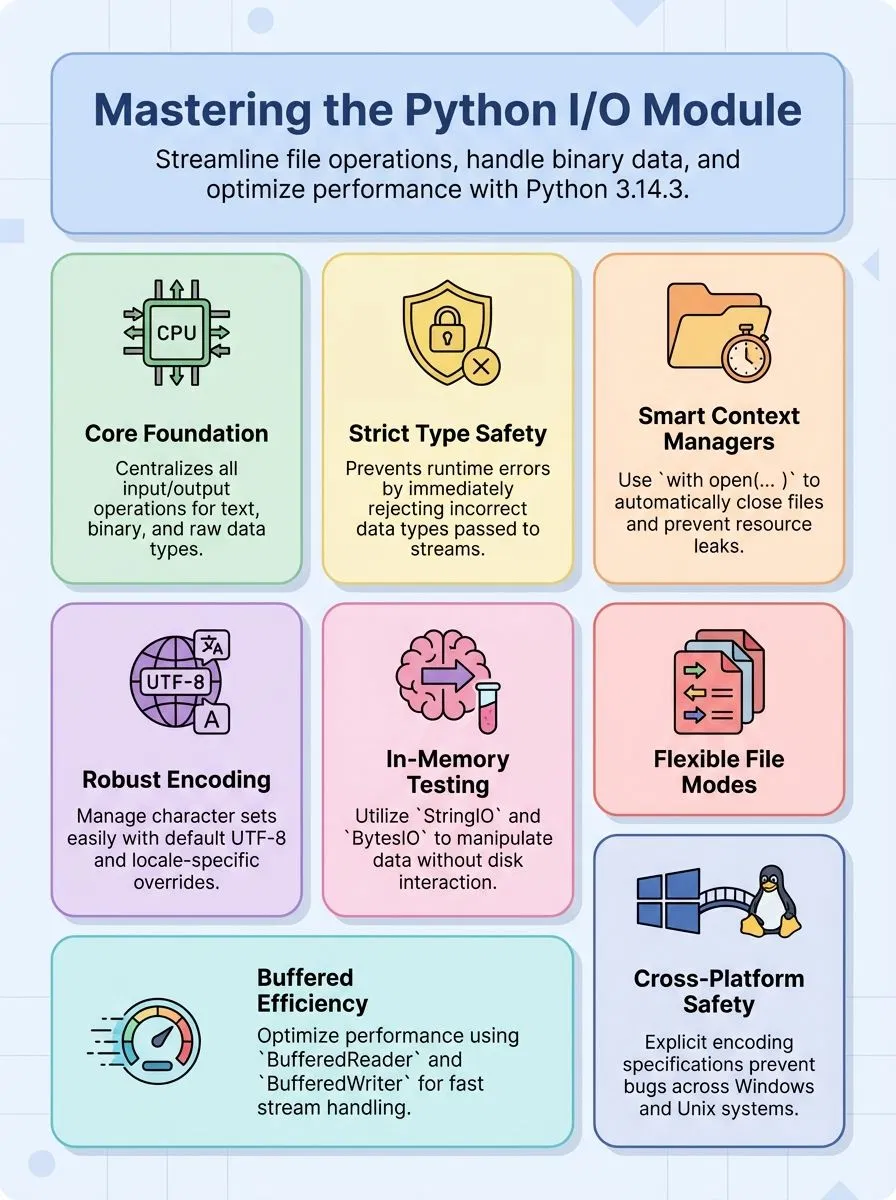
The Python io module serves as the foundation for all file operations in modern Python programming. This powerful module provides a unified interface for handling three distinct categories of input and output: Text I/O for string data, Binary I/O for bytes-like objects, and Raw I/O for low-level operations.
Alex Herrick from Web Design Booth has worked extensively with this module while building custom WordPress themes that require file manipulation. The io module creates file objects, also called streams, that can be read-only, write-only, or read-write depending on the specified mode.
The io module transforms complex file operations into simple, manageable tasks that any programmer can master.
Python’s io module operates through abstract base classes and concrete classes that handle different stream types. The system enforces strict type safety, which means passing incorrect data types to a stream raises a TypeError immediately.
Since Python 3.3, the module replaced IOError with OSError to modernize error handling across the platform. The open() function acts as the primary method for creating file objects, and its arguments work best as keyword arguments.
Context management support allows developers to use the safe “with open(…) as f:” syntax, ensuring files close properly even if errors occur. The sys module provides standard IO streams including sys.stdin, sys.stdout, and sys.stderr for basic input and output operations.
Understanding these core features sets the stage for exploring the specific capabilities that make Python 3.14.3’s file handling so versatile.
What Are the Main Features of File Input and Output in Python 3. 14. 3?
Python 3.14.3 brings powerful file handling features that make working with data simple and efficient. These tools help developers read, write, and manage files across different platforms with ease.
- Multiple file opening modes provide flexible access options including ‘r’ for read, ‘w’ for write that truncates files, ‘x’ for exclusive creation, ‘a’ for append, and combination modes like ‘r+’, ‘w+’, and ‘a+’ for mixed operations.
- UTF-8 encoding support becomes the default standard starting with Python 3.15, while Python 3.14.3 offers locale-specific encoding that developers can override using encoding=”utf-8″ or encoding=”locale” parameters.
- EncodingWarning feature helps catch encoding issues early by activating warnings through the -X warn_default_encoding command line option or PYTHONWARNDEFAULTENCODING environment variable.
- Core file operations include read(), readline(), readlines(), write(), and close() methods that handle both text data and binary file content with automatic buffer management.
- Random access functionality uses seek() and tell() methods with constants like os.SEEK_SET, os.SEEK_CUR, and os.SEEK_END to navigate anywhere within files instantly.
- Cross-platform compatibility prevents bugs by requiring explicit encoding specification, especially important for Windows systems where default encodings differ from Unix platforms.
- Iterator support allows files to process line by line using for loop constructs, making large file handling memory-efficient and simple to implement.
- Non-blocking stream handling manages BlockingIOError exceptions during read operations, ensuring applications remain responsive when working with network or device streams.
- Thread-safe operations support multi-threading environments while maintaining data integrity through reentrant methods and proper file descriptor management.
Understanding these features sets the foundation for practical implementation, which leads directly into exploring how developers can use the Python I/O module effectively.https://www.youtube.com/watch?v=uOb0S778Kpw
How Do You Use the Python I/O Module?
Alex Herrick and Joshua Correos from Web Design Booth have guided countless developers through file operations over their years in the industry. Using the I/O module becomes simple once you understand the core methods and classes that handle file input and output tasks.
- Open files with the basic open() function – Use
open('filename.file', mode)where mode determines file access and creation behavior for reading, writing, or appending data. - Create in-memory streams for testing – Access
io.StringIO("someinitialtextdata")for text streams andio.BytesIO(b"someinitialbinarydata:x00x01")for binary data without touching the disk. - Handle raw binary streams directly – Apply
_io.FileIO(name, mode='r', closefd=True, opener=None)to get raw binary stream access to operating system files using file paths or descriptors. - Implement buffered reading and writing – Use
_io.BufferedReader(raw, buffer_size=DEFAULT_BUFFER_SIZE)and_io.BufferedWriter(raw, buffer_size=DEFAULT_BUFFER_SIZE)for efficient stream operations. - Wrap text interfaces around binary streams – Apply
TextIOWrapperclass with encoding, errors, newline, line_buffering, and write_through parameters to convert binary data into readable text. - Ensure automatic file closure with context managers – Write
with open('test.txt','r') as f:to guarantee files close properly and prevent resource leaks in your programs. - Extract complete buffer contents – Call
getvalue()method inStringIOto return the entire buffer, but avoid using this after callingclose()as it raises exceptions. - Type-safe stream operations – Utilize static typing protocols like
_io.Reader[_T_]and_io.Writer[_T_]for operations such asreader.read(11)orwriter.write(b"Hello world!n").
Conclusion
Python’s I/O module stands as a powerful tool for creative pros and tech fans who want to master file operations. This tutorial covered the main classes and functions that make working with streams simple and effective.
Users can now handle text files, binary data, and json files with confidence using Python 3.14.3’s features. The knowledge gained here opens doors to better data manipulation, file system control, and more advanced programming projects.
Creative professionals will find these skills essential for building robust applications that handle various file formats and encoding tasks.
FAQs
1. What is Python I/O and why do developers need it?
Python I/O handles input and output operations for reading and writing data to computer files, standard streams, and storage systems. This high-level interface lets you work with text mode, binary mode, and various file formats including JSON files. Python functions for I/O operations form the backbone of data exchange in most programming applications.
2. How do you create and manipulate files using Python’s file system interface?
Python read operations and file creation use built-in classes and functions that specify how a new file will be created or accessed. You can open files in text mode for character strings or binary mode for raw bytes. The file system automatically handles platform-specific details like newline characters and text encoding.
3. What are the main methods for working with streams and file objects?
Working with streams involves using Python functions that handle standard output, file operations, and data interchange through various APIs. You can manipulate file content using slicing techniques, specify the number of bytes to read, and control how newlines are processed. These methods support both text and binary data handling.
4. How does JSON serialization work with Python I/O operations?
JSON serialization converts Python objects like dictionaries and lists into JavaScript Object Notation format for data exchange. The JSON module provides functions for serializing Python data structures and deserializing JSON files back into Python objects. This format works perfectly for storing and transmitting structured data.
5. What encoding and decoding options are available for text processing?
Python supports various text encoding methods through codecs that handle character string conversion and escape sequences. You can specify Unicode encoding, handle escape sequence processing, and manage newline character behavior across different systems. The string type automatically handles most common encoding tasks.
6. How do you handle advanced features like inheritance and method overriding in I/O classes?
Advanced I/O programming uses derived classes and subclasses that inherit from base I/O classes, allowing you to create custom file handling behavior. You can override methods in these classes to implement specialized functionality for specific file formats or storage systems. The constructor and method definitions give you complete control over I/O operations.
