

Many Python programmers struggle with combining conditions and controlling program flow effectively. Python logical operators combine or modify conditions and provide Boolean results that determine True or False outcomes.
This guide breaks down each operator type, shows practical examples, and teaches readers how to avoid common mistakes while building better conditional statements. Master these essential programming tools today.
Key Takeaways
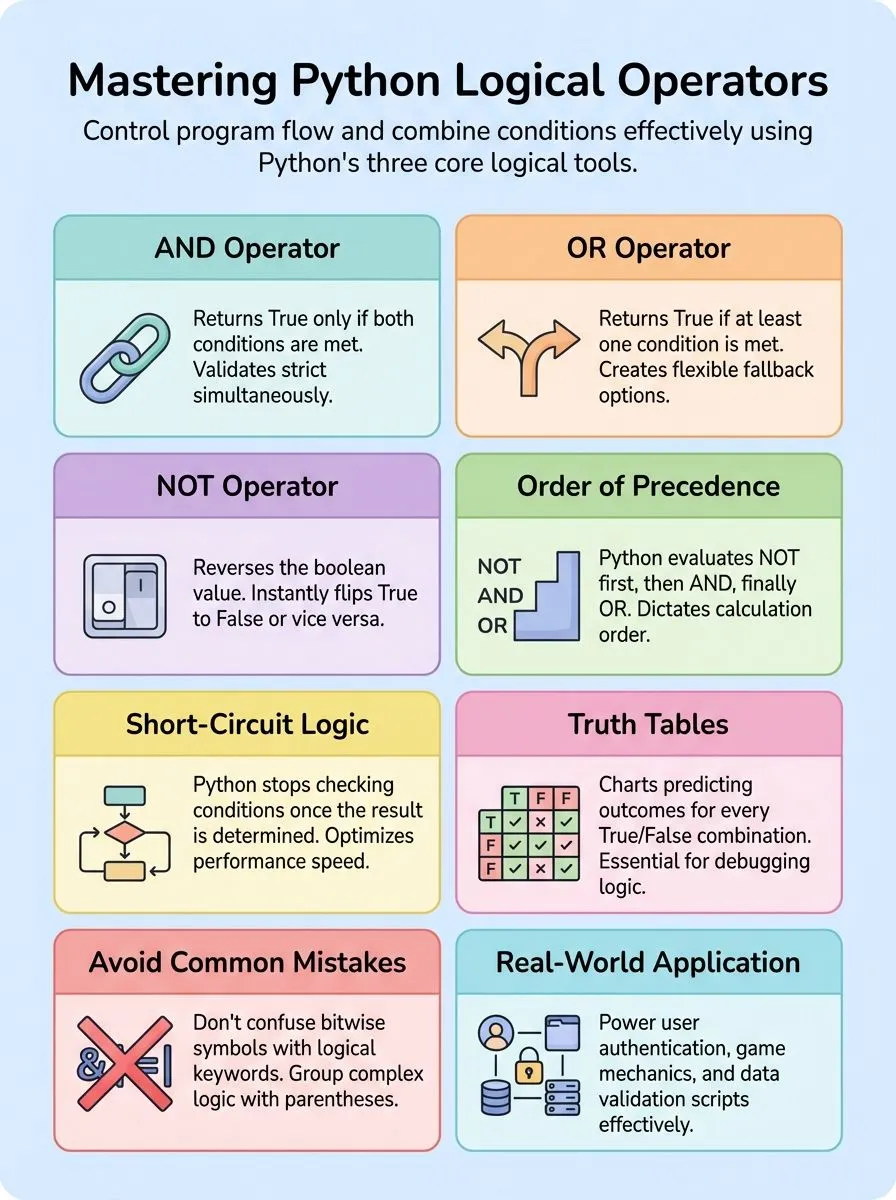
- Python’s three logical operators (AND, OR, NOT) combine conditions and return Boolean results for program control flow.
- AND requires both conditions true, OR needs one condition true, and NOT reverses Boolean values completely.
- Python follows precedence order: NOT operator first, then AND operator, finally OR operator in complex expressions.
- Short-circuit evaluation stops checking conditions early when Python determines the final result, improving code performance significantly.
- Common mistakes include confusing bitwise operators with logical operators and misunderstanding operator precedence rules in expressions.
Python Logical Operators Explained

Python logical operators form the backbone of decision-making in code, allowing developers to combine multiple conditions and control program flow with precision. These powerful tools—AND, OR, and NOT—transform simple boolean expressions into complex logical operations that evaluate true or false values based on specific criteria.
What does the AND operator do in Python?
The AND operator returns True only if both operands are true. This python operator uses simple syntax: x and y. For example, the expression x > 7 and x > 10 checks if x meets both conditions at once.
The operator evaluates to true when all parts of the expression pass the test.
Python’s AND operator uses short-circuit evaluation in conditional statements. If the first expression is False, further expressions are not evaluated. This saves time and prevents errors.
Consider this example: for a = 10, b = 10, c = -10, the code “if a > 0 and b > 0:” outputs “The numbers are greater than 0”. The operator checks each condition step by step. Truth tables show how the AND operator works with all combinations of Boolean values, making it clear when the output will be True or False.
How does the OR operator work in Python?
The OR operator in Python acts like a digital gatekeeper that opens when at least one condition proves true. This logical operator uses simple syntax: x or y, where either x or y can make the entire expression return True.
Python evaluates the OR operator from left to right, and here’s where it gets smart, if the first expression evaluates to True, Python skips checking the remaining expressions entirely.
This behavior, called short-circuit evaluation, makes code run faster and prevents unnecessary calculations.
Python’s OR operator shines in conditional statements where multiple pathways lead to success. Consider this practical example: if x 15 evaluates both conditions and returns True when x falls outside the 7-15 range.
For variables a = 10, b = -10, c = 0, the statement if a > 0 or b > 0 outputs “Either of the number is greater than 0” because at least one variable meets the positive condition. Creative developers often use OR operators to handle multiple user inputs, validate different data types, or create flexible program flows that respond to various scenarios.
When and how is the NOT operator used in Python?
The NOT operator reverses the Boolean value of its operand, making it essential for control flow in Python programming. This logical operator uses simple syntax: not x, where x represents any expression that evaluates to True or False.
Python developers use the NOT operator to flip boolean values, turning True into False and False into True.
The NOT operator works with a single Boolean value, returning False if the value is True and vice versa.
Practical applications show the NOT operator’s power in conditional statements and mathematical operations. For example, not (x > 7 and x > 10) reverses the result of the comparison operators inside the parenthesis.
Consider this real-world scenario: For a = 10, the expression if not (a % 3 == 0 or a % 5 == 0) checks if 10 is NOT divisible by either 3 or 5. This outputs “10 is not divisible by either 3 or 5” when the condition proves false, else it outputs “10 is divisible by either 3 or 5”.
Python also provides operator.not_(obj) or operator.__not__(obj) methods to negate the Boolean value of any object, giving programmers multiple ways to implement logical negation in their code.
What is the truth table for Python logical operators?
Understanding Python logical operators becomes much clearer when examining their truth tables. These tables explain how logical operators behave for all combinations of Boolean values True and False. Each operator follows specific patterns that determine the final result based on the input values.
| Operand A | Operand B | A AND B | A OR B | NOT A |
|---|---|---|---|---|
| True | True | True | True | False |
| True | False | False | True | False |
| False | True | False | True | True |
| False | False | False | False | True |
The AND operator returns True only if both operands are True. Otherwise, it returns False. This strict requirement means both conditions must be met for success. Creative professionals can use this pattern for validating multiple requirements simultaneously.
OR operator returns True if at least one operand is True. Otherwise, it returns False. This flexible approach allows for alternative conditions. Tech enthusiasts find this useful for creating fallback options in their code.
NOT operator returns the opposite Boolean value of its operand. This simple reversal transforms True to False and False to True. YouTubers often use this for toggling features on and off.
Practical examples demonstrate these concepts clearly:
python
a = True
b = False
c = True
# AND condition
if a and c:
print(“Both a and c are True (AND condition).”)
# OR condition
if b or c:
print(“Either b or c is True (OR condition).”)
# NOT condition
if not b:
print(“b is False (NOT condition).”)
These patterns form the foundation for more complex logical expressions. Mastering truth tables helps developers predict outcomes before running code. The next section explores how Python prioritizes these operators through precedence rules.https://www.youtube.com/watch?v=jGJ2iaTMkYE
What is the order of precedence for Python logical operators?
Truth tables show how logical operators work, but precedence determines which operators Python evaluates first in complex expressions. Python follows a specific order when multiple logical operators appear in the same line of code.
The NOT operator takes the highest priority, followed by AND, then OR at the lowest level.
This hierarchy means Python processes NOT operations before AND operations, and AND operations before OR operations. Alex Herrick from Web Design Booth often explains to clients that precedence ensures expressions evaluate efficiently and as intended, reducing unnecessary computations.
For example, in the expression `not True and False or True`, Python first evaluates `not True` (which equals False), then `False and False` (which equals False), and finally `False or True` (which equals True).
Short-circuit evaluation works alongside precedence, making Python skip unnecessary calculations when the result becomes clear early in the process.
What are some practical examples of using logical operators in Python?
Understanding precedence helps developers write cleaner code. Real-world applications show how logical operators solve common programming challenges.
- User Authentication Systems – Check if a user enters correct username AND password using
if username == "admin" and password == "secret123":to grant access to secure areas. - Age Verification Programs – Validate user eligibility with
if age >= 18 and age <= 65:to determine voting rights, job applications, or service access. - Grade Evaluation Scripts – Assign letter grades using
if score >= 90 and score <= 100:to automate student assessment and report card generation. - Weather Alert Systems – Trigger warnings with
if temperature > 100 or humidity > 80:to notify users about dangerous weather conditions requiring immediate action. - Shopping Cart Validation – Process orders using
if item_count > 0 and payment_method != "":to ensure customers complete all required checkout steps successfully. - File Processing Tools – Filter documents with
if file_extension == ".pdf" or file_extension == ".docx":to handle specific file types in automated workflows. - Game Logic Controllers – Manage player actions using
if health > 0 and ammo > 0:to determine valid moves and game state transitions. - Data Quality Checks – Clean datasets with
if not pandas_dataframe.empty and column_count > 5:to verify information meets processing requirements before analysis. - Boolean Variable Examples – Test conditions using
a = True, b = False, c = Truethen evaluateif a and c:to output “Both a and c are True.” - Number Comparison Tests – Validate positive values with
a = 10, b = 10, c = -10then checkif a > 0 and b > 0:to confirm “The numbers are greater than 0.
How do I choose the right logical operator for my Python project?
Choosing the right logical operator depends on the conditions you need to evaluate in your Python syntax. Developers use AND when all conditions must be True, OR when any condition can be True, and NOT to invert a condition.
This decision shapes how your program evaluates multiple conditions and controls the flow of execution. Creative professionals working on complex projects need to understand these different types of operators to build effective conditional statements.
The team at Web Design Booth has discovered that most Python projects require careful consideration of operator precedence and truth values. Alex Herrick often uses AND operators when validating user input forms, ensuring all fields meet specific criteria before processing.
Joshua Correos applies OR operators in cybersecurity scripts to check multiple authentication methods. The NOT operator proves valuable for filtering unwanted data or reversing boolean conditions.
Python operators work best when developers match them to their specific logic requirements, creating cleaner and more efficient code that handles various scenarios with precision.
What are common mistakes with Python logical operators and how can I avoid them?
Python developers often stumble into traps that create bugs and unexpected program behavior. These logical operator mistakes can derail even experienced programmers’ projects.
- Confusing bitwise operators with logical operators – Many programmers accidentally use & and | instead of ‘and’ and ‘or’ for Boolean logic, causing incorrect behavior in conditional statements and program flow control.
- Misunderstanding short-circuit evaluation – Developers forget that Python stops checking conditions early, which can lead to logical errors or unintended side effects in their code.
- Ignoring operator precedence rules – Failing to group conditions with parentheses creates unexpected results because Python follows specific order of operations for logical connectives.
- Using wrong operators for intended logic – Choosing AND when OR is needed, or vice versa, causes bugs that break conditional statements and program control flow.
- Forgetting to leverage the operator module – Not using function-based logic reduces code readability and efficiency in complex Boolean operations and conditional expressions.
- Mishandling in-place operator assignments – Assigning results of functions like iadd to immutable objects fails to update the original target, creating confusion in variable assignments.
- Overlooking mutable object behavior – For mutable targets like lists, in-place operator functions update objects directly, which can surprise developers expecting new object creation.
- Mixing up identity operators with equality – Confusing ‘is’ with ‘==’ leads to incorrect Boolean comparisons, especially when working with different data types and object references.
- Poor condition grouping in complex expressions – Complex Boolean algebra requires careful parentheses placement to ensure proper evaluation of multiple conditions and logical propositions.
Understanding these pitfalls helps developers write cleaner, more reliable Python code that handles complex conditional logic effectively.
What are advanced tips for using Python logical operators efficiently?
Smart developers leverage the operator module to supercharge their logical operations and create cleaner, more efficient code. This powerful module transforms complex conditional statements into streamlined functions that execute faster than traditional approaches.
Expert programmers use operator.call() for dynamic function invocation, which arrived in Python 3.11 and revolutionizes how applications handle variable method calls. Creative coders combine operator.attrgetter() with logical operators to fetch multiple attributes simultaneously, returning tuples that simplify complex data validation tasks.
Professional developers master short-circuit evaluation to optimize performance in applications that process large datasets or handle real-time operations. Logical operators stop evaluating conditions the moment they determine the final result, which saves precious computational resources.
Tech enthusiasts discover that placing the most likely conditions first in OR operations, and the least likely conditions first in AND operations, dramatically improves execution speed.
The operator module’s methodcaller creates callable objects that invoke methods by name, supporting both regular arguments and keyword arguments for flexible conditional logic that adapts to changing program requirements.
Conclusion
Python logical operators serve as powerful tools that every programmer needs. These operators help control program flow and make smart decisions based on multiple conditions. Creative professionals and tech enthusiasts can use AND, OR, and NOT operators to build amazing projects.
Practice makes perfect when working with these Boolean expressions. Start with simple examples, then move to complex conditional statements that evaluate multiple conditions at once.
Python’s operator module offers even more advanced functions for experienced developers ready to level up their coding skills.
FAQs
1. What are Python logical operators and why do programmers need them?
Python logical operators are special symbols that help control the flow of a program by checking multiple conditions at once. These operators are used in conditional statements to make decisions based on whether certain things are true or false. They work with Boolean data type values and help programmers create smarter code.
2. Which types of operators in Python work with booleans?
The main logical operators used in Python are ‘and’, ‘or’, and ‘not’. These two logical operators (and/or) plus ‘not’ help evaluate multiple conditions in your code. They differ from arithmetic operators because they work with true/false values instead of numbers.
3. How do logical operators control program flow compared to other Python operators?
Logical operators used in conditional statements help determine which parts of code run next. Unlike arithmetic operations that just calculate numbers, logical operators make yes/no decisions. This lets programmers create programs that respond differently based on multiple conditions.
4. Can beginners learning Python master these operators quickly?
Teaching Python logical operators becomes easier when students practice with simple examples first. Most people can learn the basics in a few hours of focused study. The key is understanding how ‘and’, ‘or’, and ‘not’ work with true/false values.
5. What makes logical operators different from assignment operators and membership operators?
Assignment operators put values into variables, while membership operators check if items exist in lists or strings. Logical operators are used to combine or change true/false conditions. Each type serves a different purpose in Python syntax and semantics.
6. How do logical operators work with other Python tools like NumPy and Pandas?
These operators work the same way across different Python libraries and frameworks. Whether you use them with basic Python code, NumPy arrays, or Pandas data, the logic stays consistent. This makes them valuable tools for any Python programming task.
