

Many Python developers struggle with creating clean, readable code when handling multiple conditions. Python lacks a built-in switch statement, unlike languages such as Java or C++.
This guide explores the powerful match-case feature and other methods to implement switch in python effectively. Master these techniques to write cleaner code today.
Key Takeaways
- Python 3.10 introduced match-case statements that work like switch statements found in C++, Java, and JavaScript programming languages.
- Match-case statements eliminate the need for long if-elif-else chains, making Python code cleaner and more readable for developers.
- Python’s match-case requires no break statements and uses underscore (_) as the default case for unmatched conditions.
- Dictionary mapping and class methods provide alternative ways to simulate switch-case behavior in older Python versions before 3.10.
- Match-case statements prevent cascading errors and reduce redundant code implementations compared to traditional conditional structures in Python.
What is a Switch Statement in Python?

Understanding Python’s approach to switch statements requires looking at how this programming language differs from others. Python does not have a built-in switch or case statement like C++ and Java offer their programmers.
Until Python 3.10 arrived, developers used alternative methods to mimic switch-case functionality through creative coding solutions.
Python 3.10 introduced match-case statements that closely resemble switch-case statements found in languages like C++ and Java. This new feature brought structural pattern matching to Python, giving developers the explicit switch-case syntax they had been requesting for years.
Alex Herrick from Web Design Booth has found these match-case statements particularly useful when building custom WordPress themes, as they make conditional logic cleaner and more readable than traditional if-elif-else chains.
Implementing Switch Statements Using Match-Case (Python 3. 10+)
Python version 3.10 introduced match-case statements, which work like switch case statements in other programming languages. These new control structures make code cleaner and easier to read than long chains of if-elif-else statements.
How do you write a match-case statement in Python?
The match-case statement provides a clean way to handle multiple conditions in Python 3.10 and later versions. This control structure replaces long if-elif-else chains with more readable code.
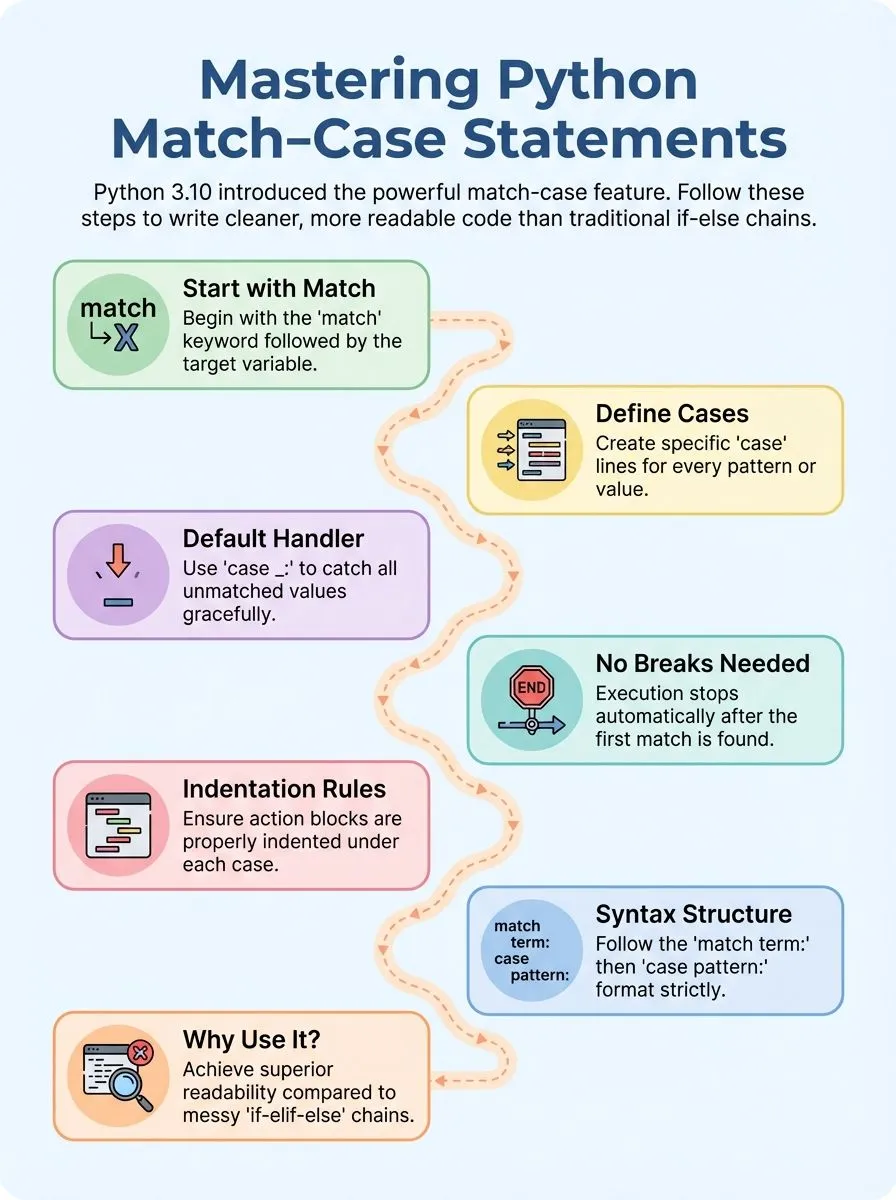
- Start with the match keyword – Write “match” followed by the variable or expression you want to check against different patterns.
- Add case statements for each condition – Each case line checks for a specific value or pattern that might match your variable.
- Include a default case with underscore – The final “case _:” acts as a catch-all for any values that don’t match previous cases.
- Skip break statements entirely – Unlike switch statements in other programming languages, Python’s match-case automatically stops after finding the first matching pattern.
- Use proper indentation for actions – Each case must have indented code blocks that execute when the pattern matches the input value.
- Structure follows this basic syntax – The format is “match term:” followed by “case pattern-1: action-1” and “case pattern-2: action-2” for each condition.
- Test with simple string or integer values – Start with basic data types like strings or integers before moving to complex patterns or nested structures.
What are some practical examples of match-case in Python?
The match-case statement in Python becomes even more powerful when applied to real coding scenarios. These practical examples show how developers can replace complex if-elif-else chains with cleaner, more readable code.
- User Input Programming Language Selection: Create a program that prompts users with “What’s the programming language you want to learn?” and matches responses for “JavaScript”, “Python”, “PHP”, “Solidity”, and “Java” to display specific learning resources, with a default case for unrecognized languages.
- Number to Word Conversion: Build a simple converter where value = 2 matches to print “two”, value = 1 prints “one”, and value = 3 prints “three”, using the underscore (_) as the default case for unknown numbers.
- HTTP Status Code Handler: Match different HTTP response codes like 200 for success, 404 for not found, and 500 for server errors to trigger appropriate error handling functions or user messages.
- Game Menu Navigation: Design a game menu system where user choices like “start”, “options”, “quit” match to specific game functions, making the control flow cleaner than traditional conditional statements.
- File Extension Processor: Process different file types by matching extensions like “.jpg”, “.png”, “.pdf”, “.txt” to call appropriate handler functions for image processing, document parsing, or text analysis.
- Calculator Operation Selector: Create a calculator where operators “+”, “-“, “*”, “/” match to corresponding mathematical functions, with the default case handling invalid operator input gracefully.
- Day of Week Scheduler: Match day names like “Monday”, “Tuesday”, “Wednesday” to specific scheduling functions or task lists, making weekly planning applications more organized and readable.
- API Response Type Handler: Handle different API response formats by matching content types like “json”, “xml”, “csv” to appropriate parsing methods, streamlining data processing workflows.
Why Use Match-Case Instead of If-Elif-Else?
Match-case statements provide superior readability compared to lengthy if-elif-else chains that many Python developers encounter daily. Traditional conditional structures often become messy and hard to follow, especially when handling multiple conditions.
Python 3.10 introduced match-case functionality that mirrors switch-case statements found in languages like JavaScript, PHP, and C++. This native implementation eliminates the need for workarounds that developers previously used with dictionaries or lambda functions.
Joshua Correos from Web Design Booth has observed how match-case statements significantly improve code structure in client projects. The syntax creates cleaner, more organized code that other team members can understand quickly.
Developers no longer need to scan through multiple elif statements to grasp the logic flow.
Match-case statements eliminate several common programming pitfalls that plague traditional conditional structures. No explicit break statements are required, reducing the risk of logic errors that often occur in other programming languages.
The underscore (_) handles default actions seamlessly, streamlining the decision-making process. This approach helps avoid repeated code and makes branching logic more maintainable over time.
Stack Overflow discussions frequently highlight how match-case reduces redundant implementations that clutter codebases. The concise nature of match-case statements appeals to Pythonistas who value clean coding style.
Each match block executes independently, preventing the cascading errors that sometimes occur with complex if-elif-else structures. This implementation offers brevity without sacrificing functionality, making it an excellent choice for handling multiple conditions efficiently.
Conclusion
Python developers now have powerful tools to replace old if-elif chains. Match-case statements make code cleaner and easier to read. These new features work great for handling multiple conditions in Python programs.
Dictionary mapping offers another smart way to simulate switch case behavior. Class methods provide even more flexibility for complex programming tasks. Python 3.10 brought match and case statements that work like switch statements in other programming languages.
Creative professionals and tech enthusiasts can level up their Python skills with these techniques. Start using match-case in your next project to write better code.
FAQs
1. Does Python have a built-in switch statement like many other languages?
Python does not have a traditional switch case statement like other programming languages such as Pascal or Rust. However, Python 3.10 introduced match and case statements that work similarly to switch case functionality.
2. How can I simulate switch case behavior in older Python versions before 3.9?
You can use a dictionary to map values to functions or return values, creating a switch-like structure. This method involves function calls and provides a clean alternative to multiple if-elif statements.
3. What are the main use cases for implementing switch-like logic in Python programming?
Switch logic helps with conditional programming tasks like handling user input, processing different data types, and managing state changes in applications. The match case syntax in newer Python versions makes these operations more readable and efficient.
4. Can I use lambda expressions with dictionary-based switch implementations?
Yes, lambda expressions work well as values in dictionary mappings for switch case simulation. These anonymous functions allow you to execute different procedures based on input without defining separate named functions.
5. What advantages do match and case statements offer over traditional conditional statements?
Match case statements provide cleaner syntax, better pattern matching capabilities, and improved readability compared to long if-elif chains. They also support advanced features like matching against constants, sequences, and even complex data structures with formal parameters.
6. Are there any limitations when using function objects in dictionary-based switch patterns?
Dictionary-based switches require careful handling of arguments and return values, especially with variadic functions that accept different parameter counts. You must also consider scope issues with local variables and ensure proper error handling for unexpected input values.
